Most focus apps live on your phone. Kiri doesn't.
Ten background sounds, a focus timer and a task list in one laptop tab. Free to start, then pay once.
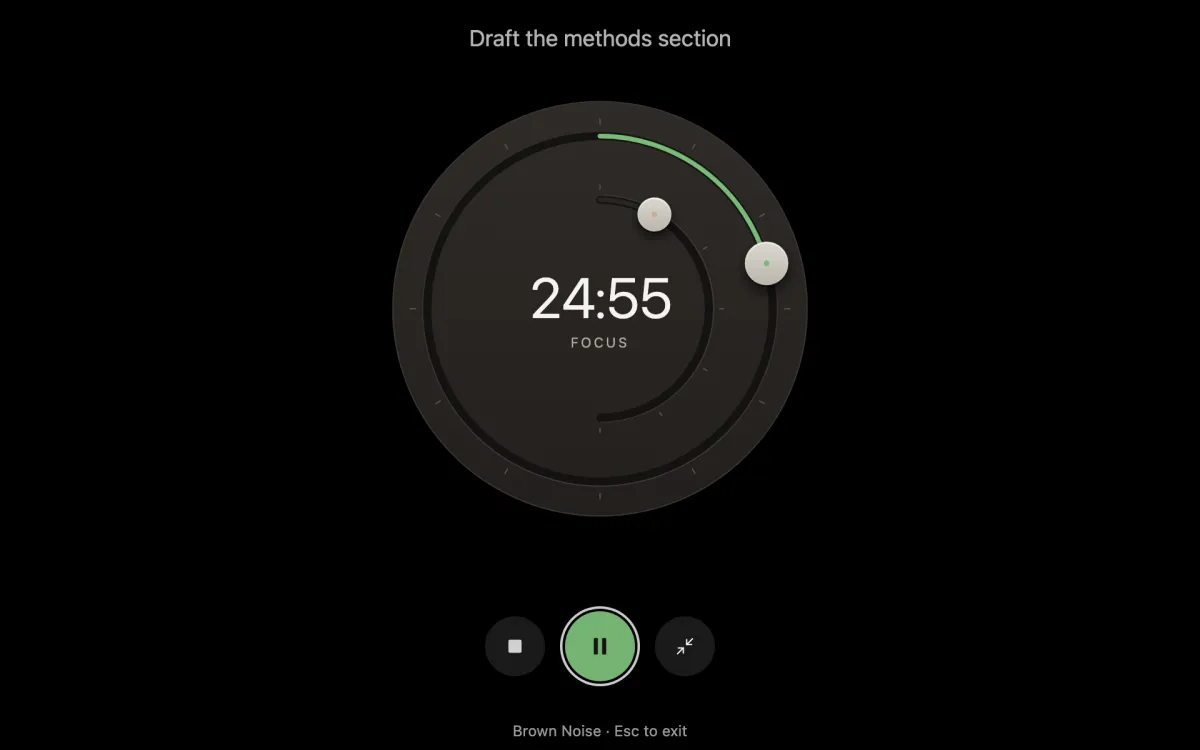
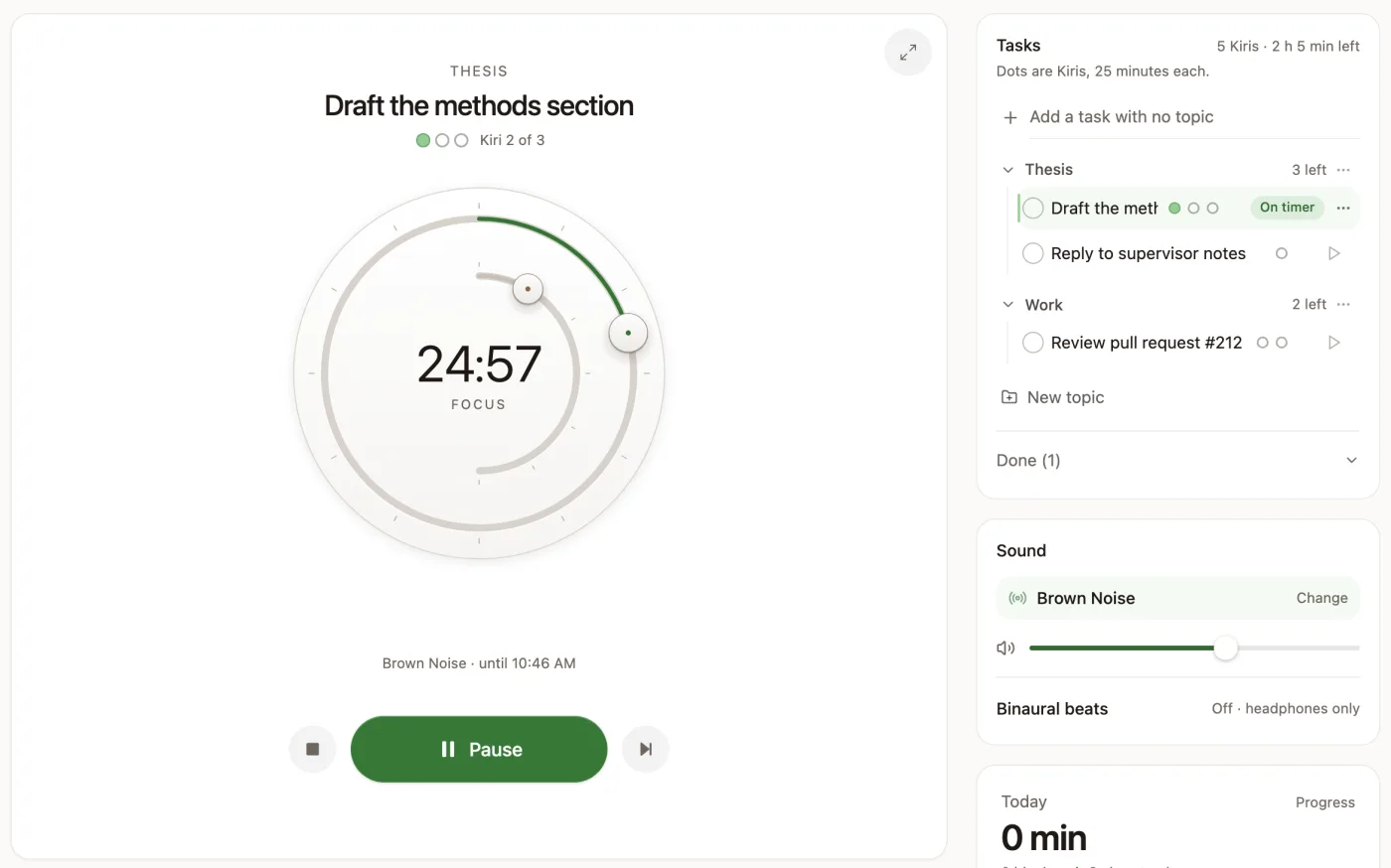
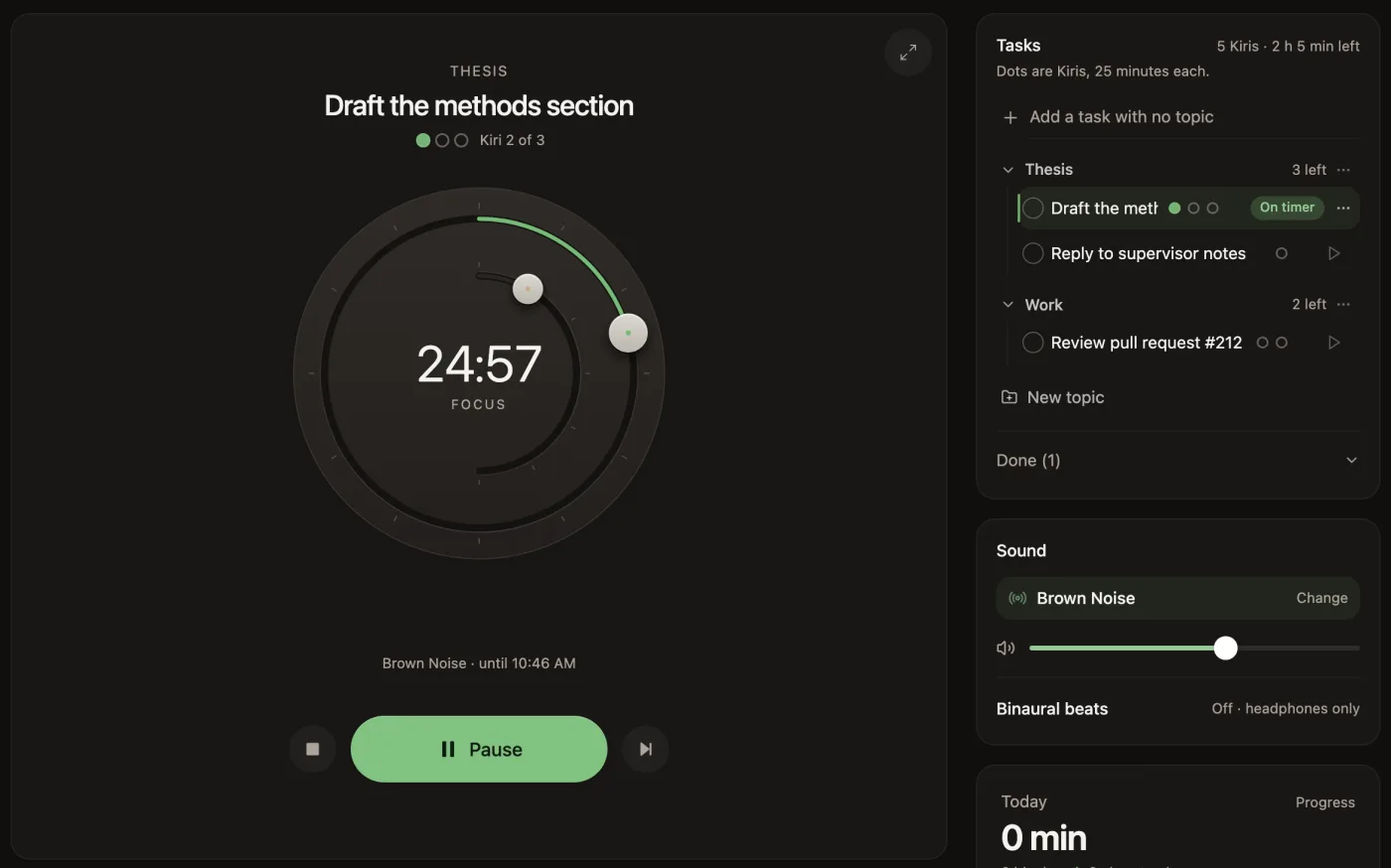
No account needed. Brown noise plays in full; other sounds are 100-second samples on repeat. A free account plays all ten in full for 14 days, no card. After that, rain and brown noise stay free.Drag the outer ring to set the focus length, the inner ring for the break.
The timer runs on your laptop.
That is the whole point: the phone goes in another room. Email yourself the link and open it on your laptop.
Sound
Sound in the same tab as the timer
No second app or video playing next to it. Ten soundscapes start and stop with the block; the default, Kiri Deep Brown, plays in full without an account. The nature and café sounds are built from real field recordings, and binaural beats can run underneath if you wear headphones.
- Rain
- Brown noise
- Forest
- Café
- Fireplace
- Sea
- Wind
- Waterfall
- Pink noise
- White noise
Binaural beats underneath any sound, for headphones. Five frequencies, with Kiri Lifetime.
Green ones are free.
Why it works
Built for the hours at the laptop, not for another app on your phone
Kiri is a Pomodoro and focus timer for laptops and desktops, with ten ambient sounds, binaural beats and a task list that estimates each task in 25-minute blocks. It runs in any desktop browser on Windows, Mac and Linux, as a Windows app from the Microsoft Store, and as a Chrome or Firefox new-tab extension. There is no phone app. The timer, two sounds, the task list and your last 30 days of history are free; everything else is €39 once, with no subscription.
Desktop only, on purpose
Your phone stays in another room. Kiri can't follow you there. Read the evidence.
You never have to look at it
The countdown sits in the tab title. A chime and a notification mark the end. Space starts and pauses.
One task per block
Each block starts with the one thing it is for. Your log reads like a diary of real work, not a score.
How a block works
Name the task
One line for what this block is for. It goes on the timer and into your log.
Press Space
The block starts with your sound. The countdown sits in the tab title.
Hear the chime, take the break
A chime and a notification mark the end. The next block waits for you.
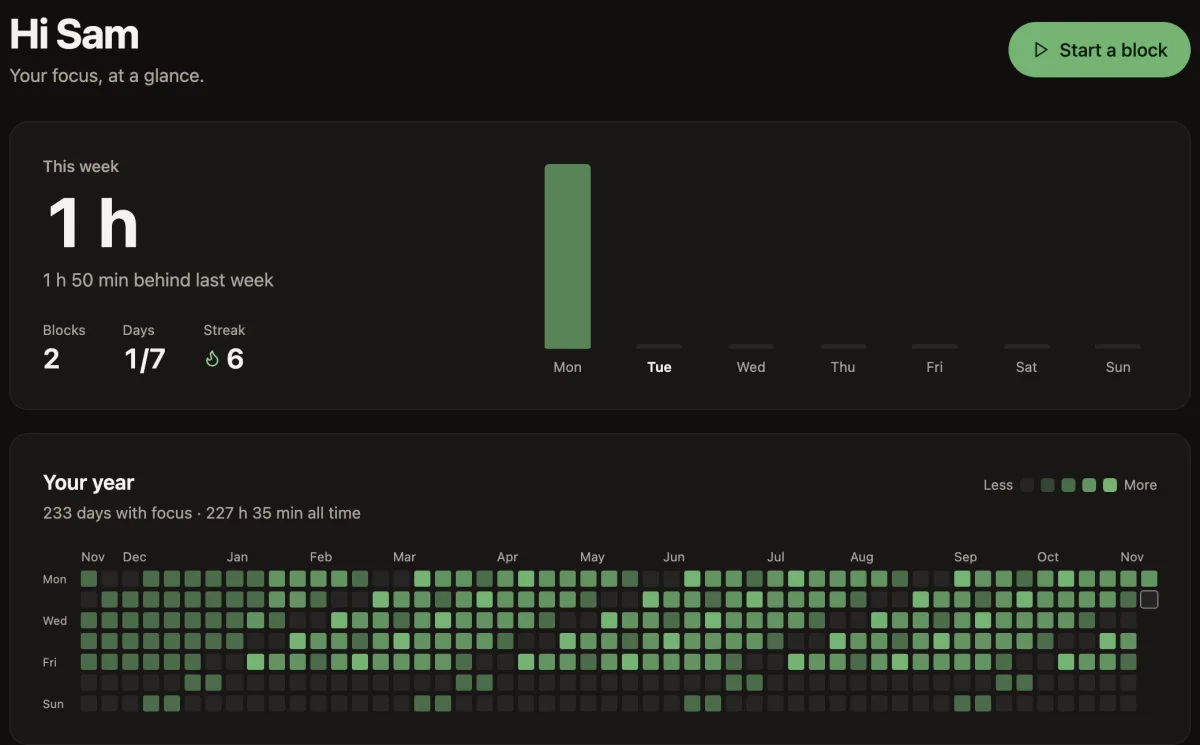
Progress
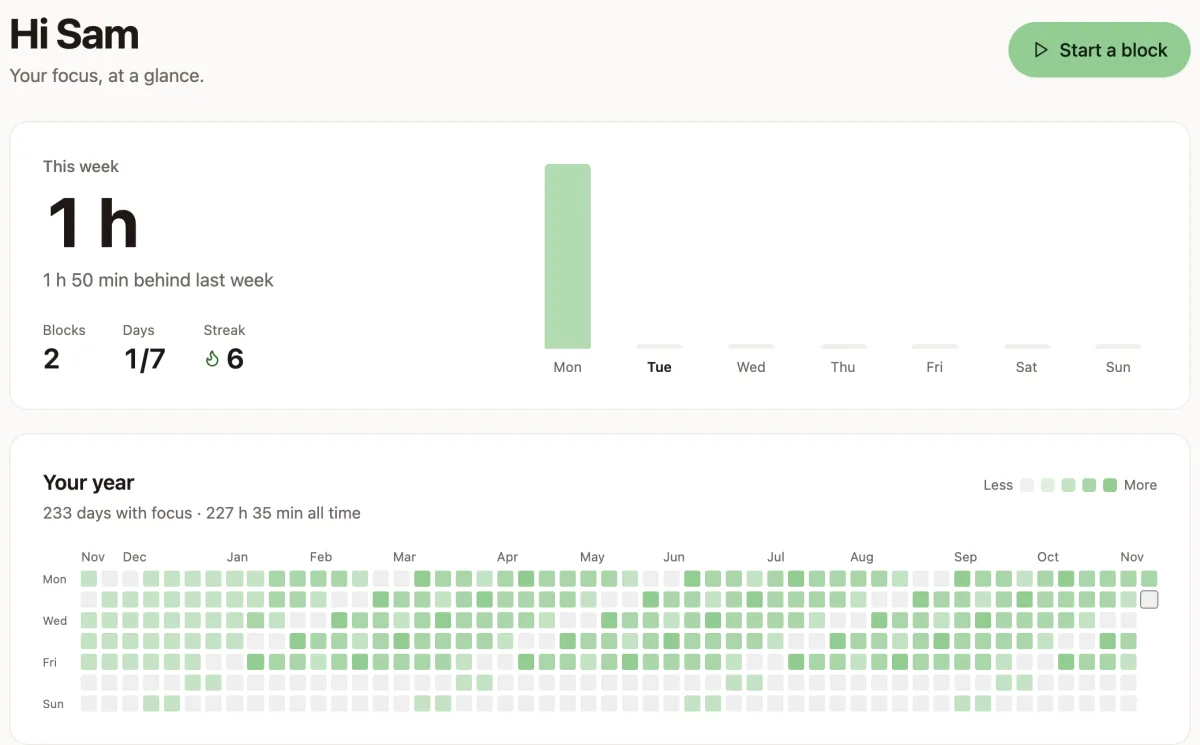
See the weeks add up
Every block lands in your log with the task you named. Your week and what you actually worked on, at a glance. No points, no badges. The year calendar and history beyond 30 days come with the full version.
Price
Pay once. No subscription.
The free tier is a working timer. The rest is one payment, not another monthly bill.
€39once, no subscription
Founding price. Later buyers will pay €49; yours never changes.
- All ten soundscapes
- All five binaural beats, for headphones
- The year calendar and your full history
- Every future feature, no upgrade fee
- The free tier stays free either way
30-day refund, no questions asked.
Kiri in short
- A Pomodoro and focus timer for your laptop
- Pick 25, 50 or 90 minutes, or set your own length, name the task and press Space. The countdown shows in the tab title and a chime marks the end of each block.
- Works on Windows and Mac, with nothing to install
- It runs in any desktop browser on Windows, Mac and Linux. If you prefer, it is also a Microsoft Store app for Windows and a new-tab extension for Chrome and Firefox. There is no phone app.
- Background sounds in the same tab
- Rain, brown noise, pink noise, white noise, forest, café, fireplace, sea, wind and waterfall, plus binaural beats for headphones.
- A task list built in
- Each task shows how many blocks you expect it to take, and every block you finish is logged against it.
- Free to start, then a one-time purchase
- The timer, the task list and brown noise are free with no account, and rain is free with an account. The full version, with every sound and your full history, is a one-time purchase with no subscription.
Questions
Is Kiri free?
Yes. The timer, the task list, rain, brown noise, your streak and the last 30 days of your history are free and stay free. The other sounds, the binaural beats, the year calendar and older history are a one-time purchase. Free accounts that already exist keep everything they have.
Why is there no phone app?
Because the phone is the thing you are trying to put away. A 2017 study (Ward et al.) suggested a phone within reach costs attention even when it is off; later studies found a smaller effect or none. Either way, the other room costs you nothing, so Kiri runs on your laptop only.
Why pay once instead of a subscription?
A timer and some sound files don't cost money every month, so they shouldn't cost you money every month. Everything is €39 once, future features included. If the price goes up later, you have already paid.
Do I need an account?
No. The timer on this page runs a full block with no login. If you sign up later, the blocks you did as a guest move into your log, and you get 14 days of full access.
Does it work on Windows and Mac?
Yes, in any modern desktop browser on Windows, Mac or Linux. There is also a Microsoft Store app and a new-tab extension for Chrome and Firefox.
What if I don't like it?
Email within 30 days of buying and you get your money back. No form, no reason needed.
More on the pricing page, or write to kiri@project-kiri.com.